Build a Small Favicon Recognition Test With Neutral Labels
Compare candidates at actual tab size without letting filenames or a large logo preview decide the result.
An icon that looks elegant at 400 pixels may be difficult to recognize in a browser tab. A small comparison sheet can test a narrower question: which candidate stays distinct at the size people actually see? This guide uses neutral labels and a short observation task. It is an informal design check, not a statistically validated branding study or a guarantee of audience preference.
Choose the recognition question
Decide whether you are checking legibility, distinction from nearby shapes, or association with an existing brand. Those are different questions. For a new favicon, begin with “Can the symbol be distinguished at sixteen pixels?” rather than “Does it look beautiful?”
Use candidates that differ in one meaningful feature, such as outline thickness or inset space. If every candidate changes color, shape, and letterform together, an observation will not tell you which feature helped.
Use the final exported assets
Place the actual sixteen- and thirty-two-pixel exports on the sheet. Include light and dark surroundings. Do not substitute smooth enlargements of the source drawing for the small images you intend to publish.
Label the candidates A, B, and C instead of best, old, and final. Keep the filename mapping in a separate note. Neutral labels reduce one avoidable source of suggestion when another person reviews the sheet.
Ask for observable descriptions
Ask a reviewer to identify a shape or letter and explain which candidate is difficult to distinguish. Record the description before sharing your preferred option. A useful note says “B resembles a dot at sixteen pixels,” not merely “B feels less professional.”
If brand association matters, show the current large identity separately after the initial shape check. That sequence helps distinguish recognition of the tiny form from familiarity with the full logo.
Treat disagreement as useful evidence
One reviewer may identify a letter where another sees an abstract mark. Look for the detail causing the disagreement: a closed counter, a thin stroke, or two shapes merging. Try a revised export that addresses that detail.
Do not convert a few comments into a population preference percentage. The check can reveal a concrete visual problem. Keep its sample and conditions visible, especially if the people reviewing already know the brand well.
Choose and verify the candidate
Select the candidate that answers your chosen question best, save the observation notes, and publish it with a clear version. Check the deployed file at its final address and inspect it in an actual tab.
Use the generator for the final size set and the sixteen-pixel design guide for simplification. Keep the comparison sheet with the source artwork. A later redesign can then revisit the same recognition question instead of relying only on a large, flattering preview.
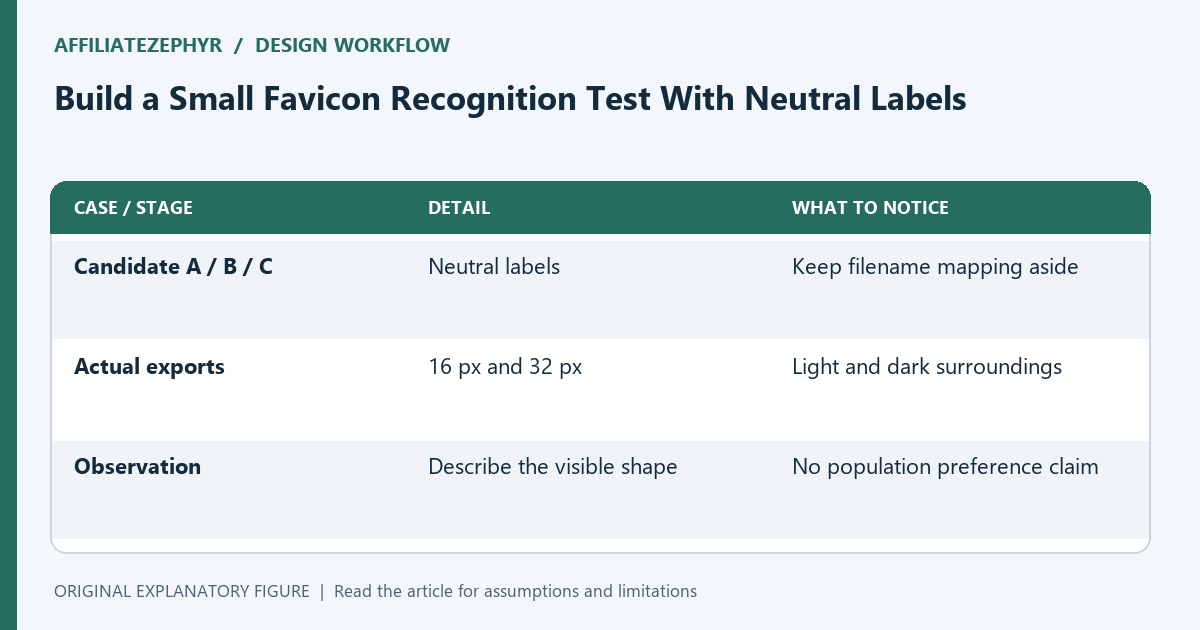
| Case or stage | Detail | What to notice |
|---|---|---|
| Candidate A / B / C | Neutral labels | Keep filename mapping aside |
| Actual exports | 16 px and 32 px | Light and dark surroundings |
| Observation | Describe the visible shape | No population preference claim |