Diagnose a Favicon URL That Returns HTML
Use status, content type, and response-body checks to distinguish missing favicon files from single-page-app fallbacks.
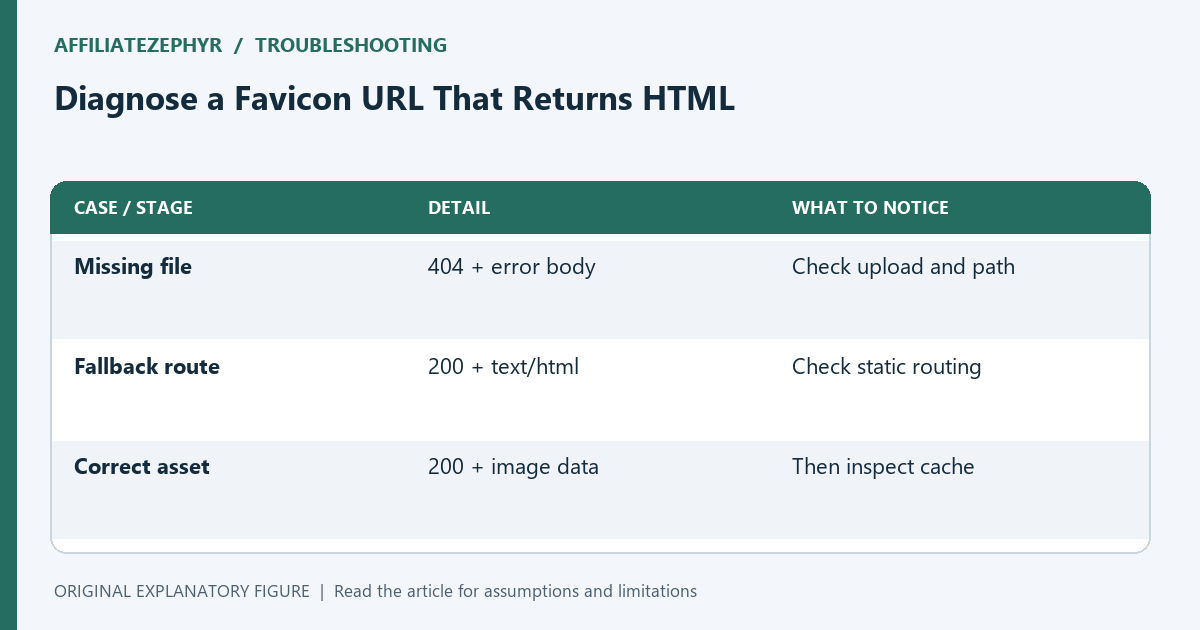
A missing favicon does not always produce a visible 404. Some hosts return the homepage for every unknown path, so an icon request receives a successful status and a page of HTML. Browsers cannot use that page as image data. Here is a repeatable investigation that separates routing errors from incorrect artwork and stale browser caches.
Start with the exact requested address
Copy the icon href from the rendered page rather than assuming the browser is using /favicon.ico. If several link elements declare icons, record their formats and sizes. A browser may select a different candidate from the one you are opening by hand.
Resolve relative addresses from the affected document. Then paste the result into a new tab. If you see your normal homepage, login screen, or branded error page, the server has returned a document where an image should be. Take note of the final address after redirects.
Read the three-part response
Inspect status, Content-Type, and the body. A PNG normally contains binary image data; an SVG contains an svg element. A response beginning with a doctype and an html element is a useful sign that the request reached a document route. The extension in the URL alone proves nothing.
The illustrative case below returns 200 for /assets/new-icon.png but serves text/html. That indicates a routing or file-location problem. It is different from a genuine 404, and different again from a correct image response whose artwork is old.
Check redirects and authentication
An icon URL might redirect from HTTP to HTTPS, from one host to another, or into a login route. Follow the whole chain in the Network panel. A public browser icon should be retrievable without credentials that only your signed-in session has.
Try the direct asset address in a fresh private session. If that session reaches a sign-in page while your normal session reaches the icon, permissions are part of the problem. Fix public access for the intended asset rather than asking visitors to authenticate to see the tab artwork.
Make static files bypass document fallbacks
Check that the uploaded file exists at the requested path, including letter case. A local Windows folder can hide a case mismatch that becomes visible on another hosting system. Confirm the deployment package includes the file rather than only the HTML reference.
In the host configuration, static assets should resolve before a broad application fallback. The precise setting depends on the server. Keep the change narrow: an unknown image should not silently become the homepage. Verify both an existing icon and a deliberately missing test path after the adjustment.
Retest before clearing caches
Once the direct URL returns image data, reload the affected page and inspect the selected icon request again. Only then investigate a stale tab. Clearing browser data before fixing a fallback can briefly change the symptoms without repairing the cause.
Save a short diagnostic record with the requested URL, final URL, status, content type, and one sentence describing the body. That record makes a hosting support request useful. It also gives you a clear stopping condition: the intended public address serves the intended image, and the page references that address.
| Case or stage | Detail | What to notice |
|---|---|---|
| Missing file | 404 + error body | Check upload and path |
| Fallback route | 200 + text/html | Check static routing |
| Correct asset | 200 + image data | Then inspect cache |