Organize Icon Source Files for Reproducible Exports
Keep artwork versions, export settings, and output purposes together so the next icon update can be repeated.
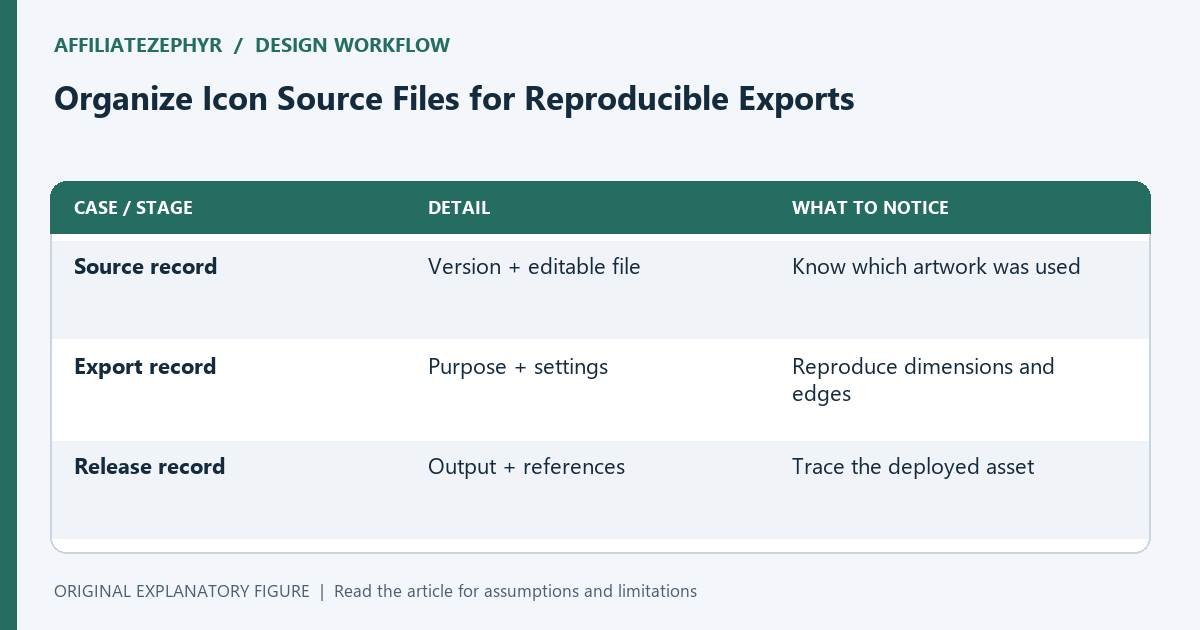
A folder full of exported icons does not explain how they were made. If the source drawing or crop settings disappear, a small update can produce a subtly different family of assets. This guide creates a lightweight export record for a small site. The goal is reproducibility and easy review, not a complicated design-management system with more overhead than the artwork itself.
Choose one identifiable source version
Keep the editable drawing and give it a meaningful version. Record which exported set came from it. If you simplify the mark for tiny sizes, retain that small-size source as a separate intentional variation.
Avoid overwriting every source with the latest experiment. A source filename such as brand-r3-tab-source.svg tells a future maintainer more than final2.svg. The name should connect to the asset inventory and release note.
List purposes before dimensions
Create rows for tab icon, touch icon, and manifest icons. For each, record the intended artwork, format, and output dimensions. Different surfaces may need different inset space or backgrounds rather than scaled copies of one file.
The record should reflect actual use. Do not add a large collection of unused exports merely because a preset can generate them. Extra assets create maintenance questions when nobody knows which page or manifest references them.
Save settings that change the result
Record canvas background, crop or viewBox, inset space, and raster export method when relevant. Note whether the output contains transparency. Those details can change edges and recognition even when the source symbol is unchanged.
Use a short text note rather than relying exclusively on application-specific presets. If a preset is essential, retain it and explain its purpose. A second person should be able to understand the export intent without guessing through a settings dialog.
Compare one regenerated set
Regenerate an export from the recorded source and settings, then compare dimensions and appearance with the approved asset. If exact bytes differ because of metadata or encoder behavior, distinguish that from a visual change.
Inspect native-size artwork on light and dark surroundings. Reproducibility means knowing how to obtain the intended result, not necessarily requiring every application version to produce an identical file hash. State which kind of comparison you performed.
Keep the record with the release
Save the source mapping, settings, output filenames, and pages that reference them. When you publish an update, record the version and what changed. Remove unused exports only after checking their references.
Use the generator for the required dimensions and the rebrand guide for a broader identity change. This small record turns future updates into a repeatable export task. It also makes it easier to inspect whether a discrepancy comes from source artwork, export settings, or deployment.
| Case or stage | Detail | What to notice |
|---|---|---|
| Source record | Version + editable file | Know which artwork was used |
| Export record | Purpose + settings | Reproduce dimensions and edges |
| Release record | Output + references | Trace the deployed asset |