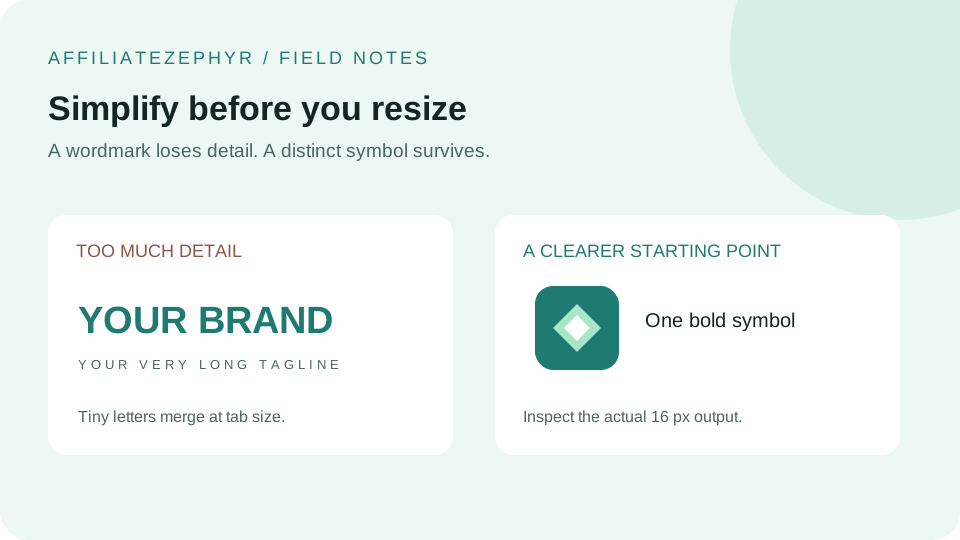
Most businesses already have a logo before they think about a favicon, which raises a natural question: can you just use the existing logo, shrunk down? Sometimes — but often a more deliberate adaptation produces a meaningfully better result.
Step 1: Identify your logo's core recognizable element
Look at your logo and ask: if someone could only see one small piece of it, which piece would still be recognizable as "your brand"? For many logos, this is a specific icon or symbol element, separate from any accompanying wordmark or tagline. This core element, isolated on its own, is usually the right starting point for a favicon.
Step 2: Decide whether your logo has a usable icon-only version
Many professionally designed logos already include a standalone "icon" or "mark" version, separate from the full lockup with company name — this is frequently the ideal favicon source, since it was likely already designed with small-scale legibility in mind. If your logo is purely a wordmark (just stylized text, no separate icon), you may need to create a new, simplified element specifically for the favicon.
Step 3: Simplify further than you might expect
Even an existing icon-only logo mark often benefits from additional simplification for favicon use specifically — removing fine detail, thin outlines, or subtle gradients that won't survive the shrink to 16x16, per our guide on designing for 16x16. It's common for a favicon-specific version to be a deliberately simplified variant of the primary logo mark, not a pixel-perfect miniature reproduction.
Step 4: For text-only logos, consider a monogram approach
If your brand is built around a wordmark with no separate icon, a single letter or a two-letter monogram — styled consistently with your brand's typography and colors — is a well-established, effective favicon strategy. This is why many companies with primarily text-based logos use a stylized first letter as their favicon rather than attempting to shrink the full wordmark.
Step 5: Adjust colors for small-scale contrast
As covered in our favicon color theory guide, colors that work well in a full-size logo don't always translate cleanly to a tiny icon — favor higher contrast and fewer distinct colors for the favicon version, even if this means a deliberate, small departure from your primary logo's exact color treatment.
Step 6: Export a clean, high-resolution square source image
Once you've settled on a simplified design, export it as a clean square image at a reasonably high resolution (512x512 or larger) — this becomes the source image for generating the full favicon size set, since starting from a large, clean source and scaling down produces better results than starting from a small or non-square image.
Step 7: Generate and review at every size
Upload your finalized square source image and review how it looks across every generated size, paying particular attention to the smallest ones where legibility problems are most likely to show up.
Generate your favicon set
Once you have a clean, simplified square version of your logo mark, our free Favicon Generator handles the resizing across every standard size, plus the .ico file and HTML code needed to add it to your site.
Keep reading: