Favicon problems are easy to overlook because they're small and easy to miss during a quick site review — but they show up constantly across otherwise well-designed websites. Here are the ones worth checking for specifically.
1. No favicon at all
The most basic and most common issue: a generic blank-page icon in the browser tab, signaling an unfinished or neglected site. This is the easiest problem to fix — our guide on why favicons matter covers the visibility this small detail actually gets.
2. Using only a single, small favicon size
A site with only a 16x16 (or similarly small) favicon and nothing else will look blurry or pixelated in any context expecting a larger size — an Apple touch icon, an Android home screen, a PWA splash screen. See our complete sizes guide for what's actually needed.
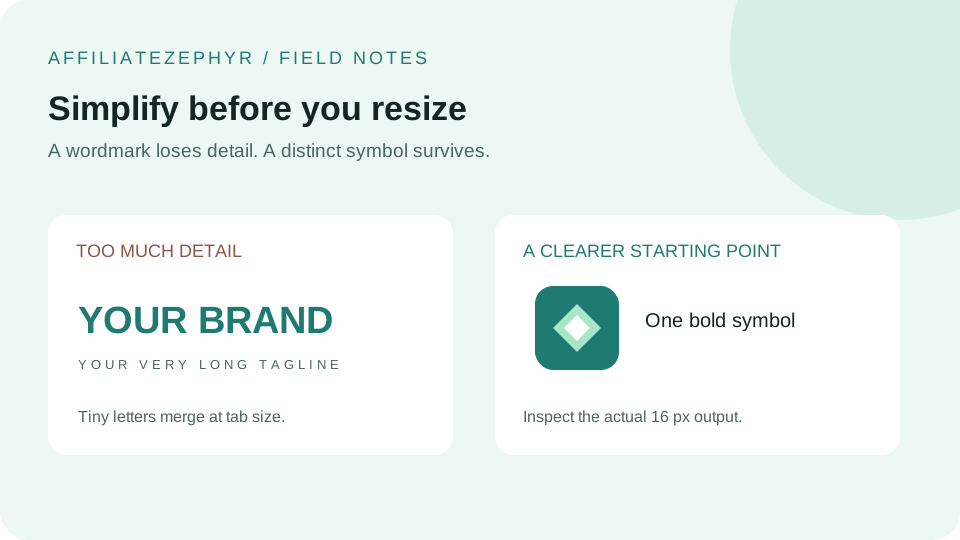
3. A design that doesn't survive shrinking
A detailed logo or illustration, simply scaled down without simplification, often turns into an indistinct blur at actual favicon size — a problem covered in depth in our guide on designing a favicon that works at 16x16.
4. No Apple touch icon, resulting in a screenshot-based home screen icon
Without a dedicated apple-touch-icon tag, iOS often falls back to an unflattering webpage screenshot for the home screen icon — see our Apple touch icon guide for the simple fix.
5. Forgetting to update a cached old favicon after a rebrand
After a logo or brand refresh, an outdated favicon persisting in browser tabs — sometimes for weeks — is almost always a caching issue rather than a setup mistake. Our dedicated guide on favicon caching issues explains why this happens and how to force an update.
6. Low contrast or colors that disappear against browser themes
A favicon that blends into a light or dark browser tab background loses much of its practical value, even if the design looks fine in isolation — covered in our guides on favicon color theory and dark mode favicons.
7. Inconsistent branding between the favicon and the rest of the site
A favicon that uses an old logo version, different colors, or a completely different visual style than the rest of a rebranded site creates a small but real inconsistency — worth auditing specifically after any broader brand update, since favicons are easy to forget during a rebrand rollout.
8. Missing the Android/PWA manifest icons
A site with a working browser favicon but no manifest-referenced icons will still show a generic or low-quality icon when added to an Android home screen — see our Android icons and manifest guide.
9. Non-square source images creating awkward crops
A non-square logo, auto-cropped into a square favicon, can sometimes cut off important elements near the edges if the design wasn't created with a square crop in mind. Reviewing the generated square versions before finalizing (rather than assuming an automatic crop always works perfectly) avoids this.
A quick self-audit
Open your own site in a fresh browser tab and check: is there a favicon at all, does it look sharp (not blurry), and does "Add to Home Screen" on a phone produce a proper icon rather than a screenshot? These three quick checks catch the majority of the common mistakes above.
Fix them all at once
Our free Favicon Generator produces a complete, correctly-sized set from a single image, sidestepping most of these common mistakes in one step.
Keep reading: