High-resolution displays — commonly called Retina displays on Apple devices, or generally referred to as high-DPI (dots per inch) elsewhere — pack more physical pixels into the same visual space, and this has a direct, sometimes overlooked effect on how sharp a small favicon appears.
How high-DPI displays work, briefly
A standard-resolution display might show one image pixel for each physical screen pixel. A high-DPI display often uses a 2x (or higher) ratio — two or more physical pixels for each "logical" pixel — which allows for noticeably crisper text and images, provided the image itself has enough actual resolution to take advantage of it.
Why this matters specifically for favicons
A 16x16 pixel favicon, displayed on a 2x high-DPI display, is effectively being shown at a physical resolution that could support a 32x32 image instead. If only a 16x16 image is provided, the browser has no additional detail to work with and the icon can appear soft or slightly blurry compared to how it would look if a properly-sized 32x32 (or larger) version were available for that display.
The practical solution: provide multiple sizes, let the browser choose
This is precisely why modern favicon setups include several sizes — 16x16, 32x32, and beyond, as covered in our complete sizes guide — rather than relying on a single size that the browser would otherwise need to either stretch (blurry) or leave under-resolved (also less sharp than possible) on higher-resolution displays.
How browsers actually select the appropriate size
Browsers reading a page's favicon-related HTML tags select the most appropriate available size for the current display's actual resolution — a standard-resolution display typically uses the 16x16 version, while a high-DPI display uses the 32x32 (or occasionally larger) version, provided both are correctly specified in the HTML with accurate sizes attributes.
Why simply providing one large image doesn't fully solve this
You might reasonably wonder why not just provide one large, high-resolution favicon and let every context scale it as needed — in practice, browsers generally still prefer selecting from explicitly provided discrete sizes that match a given context, rather than dynamically rescaling one large master image on the fly, so providing the specific expected sizes remains the more broadly reliable approach across different browsers and contexts.
This same principle extends to other icon contexts
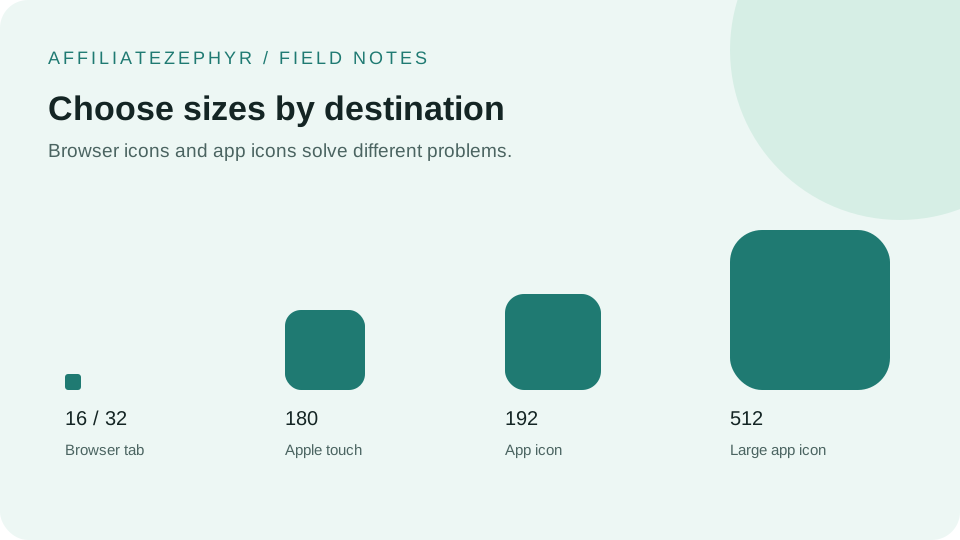
The same high-DPI consideration applies to Apple touch icons and Android/manifest icons — this is part of why the modern recommended set spans from small (16x16) through quite large (512x512) sizes, covering both traditional small browser-tab contexts and larger, high-resolution app-icon-style contexts across an increasingly high-DPI device landscape.
Do you need to design differently for high-DPI, or just provide larger files?
Generally the latter — a single well-designed square source image, exported cleanly at each required size (rather than crudely upscaled from a smaller original), serves both standard and high-DPI contexts correctly, provided the source image itself started at a sufficiently high resolution to generate genuinely sharp versions at every needed size.
Generate properly sized files
Our free Favicon Generator generates each size directly from your uploaded source image at that size's full target resolution, rather than crudely upscaling a smaller version — provided your original upload has enough resolution to support the larger sizes cleanly.
Keep reading: