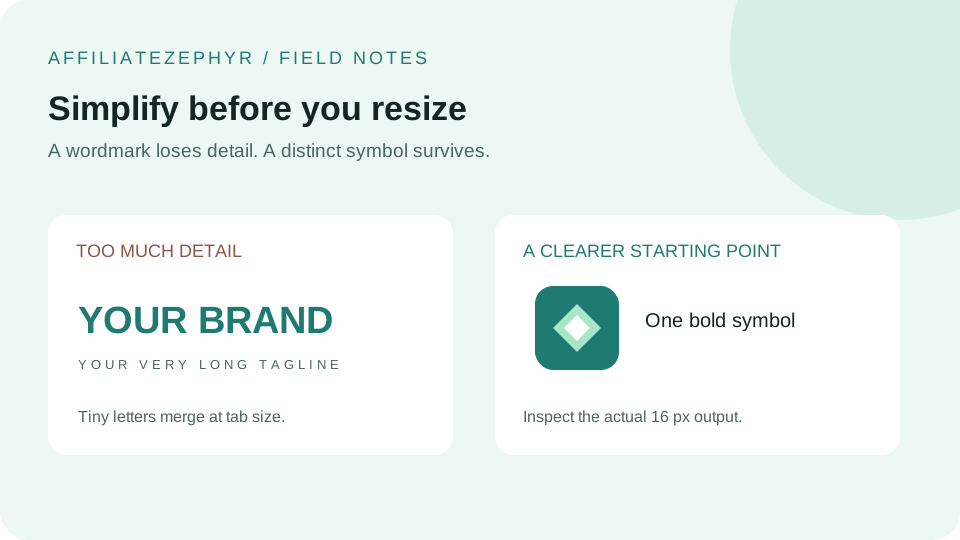
Not everyone setting up a website has design experience, and a genuinely competent-looking favicon doesn't actually require it — a handful of simple, low-effort approaches can produce a clean result without needing to learn a design tool from scratch.
Approach 1: Use a single letter or initial
The simplest reliable option: pick a bold, simple, widely-available font, type your brand's first letter (or initials), and use that as your favicon design. This is genuinely how many established brands approach their favicon, not just a beginner's shortcut — it's simple, legible at small sizes (see our 16x16 design guide), and requires no illustration skill at all.
Approach 2: Use a simple geometric shape
A single clean shape — a circle, a square with rounded corners, a triangle — in your brand color, requires no drawing skill and reads clearly at small sizes. This works particularly well if paired with a letter inside the shape, combining both simple approaches into one recognizable mark.
Approach 3: Extract an element from an existing logo
If you already have a logo (even one you didn't design yourself, like a template-based logo from a logo-maker tool), look for a simple, isolated icon element within it, per our guide on creating a favicon from your logo — this avoids needing to design anything new from scratch, just isolating and simplifying an existing element.
Approach 4: Use a free icon library
Numerous free, appropriately-licensed icon libraries (check the specific license terms of any icon you use, since requirements vary) offer simple, pre-made icon designs covering countless general concepts — a shopping cart, a leaf, a book, a wrench — which can serve as a perfectly reasonable favicon foundation without any original design work, particularly for a site in a clearly-defined niche where a generic representative icon makes sense.
Approach 5: Use free design tools with templates
Several free, browser-based design tools offer simple template-based approaches to creating a basic icon or logo mark, without requiring professional design software or skills — a reasonable middle ground between a bare letter/shape approach and hiring a professional designer.
What to avoid without design experience
- Overly detailed illustrations — these are hard to get right even with design experience, and particularly risky at small favicon sizes without that experience
- Too many colors or elements — simplicity is genuinely an advantage here, not just a compromise for lack of skill
- Stretching a non-square image into a square — this distorts the design; crop instead of stretch
- Low-resolution source images — start with as high a resolution as available, even for a simple design, to ensure clean results at every generated size
When it's worth hiring a professional instead
If your favicon needs to closely match a specific, carefully-designed brand identity, or if the simple approaches above don't feel like an adequate representation of your brand, a professional designer can create a purpose-built icon mark — but for many smaller sites, blogs, and personal projects, the simple approaches above produce a perfectly clean, professional-looking result without that expense.
Turn your simple design into a full favicon set
Once you've created even a simple letter, shape, or extracted icon element, our free Favicon Generator handles the technical work of producing every needed size and format from that single source image.
Keep reading: