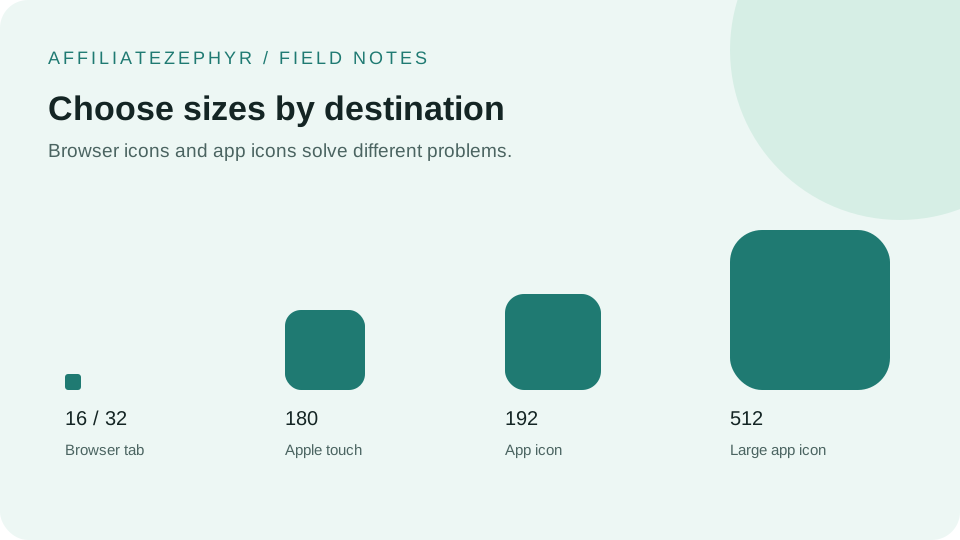
A Progressive Web App (PWA) — a website built to behave more like a native installed app, with offline support and a home-screen presence — has more extensive icon requirements than a standard website, building directly on top of the manifest system covered in our Android icons guide.
What makes a PWA's icon needs different
Because a PWA is designed to be genuinely "installed" and used more like a native app — appearing in an app drawer, launching in its own window without browser chrome, potentially showing a branded splash screen during launch — it needs a broader range of icon sizes than a site only concerned with a browser tab icon, extending into territory closer to what a native mobile app requires.
The core manifest icon sizes for PWAs
Beyond the 192x192 and 512x512 sizes covered in our general manifest guide, a thorough PWA icon set often includes additional intermediate sizes to ensure crisp rendering across the wide range of devices and pixel densities a PWA might be installed on. Our free Favicon Generator's full size set, including 128x128, provides good coverage for this broader range.
Splash screen icons
Many PWA platforms display a branded splash screen while the app is loading, typically built using the larger manifest icon (512x512) combined with the manifest's specified background color — this is why the 512x512 size matters more for a PWA than it might for a simpler site only needing standard browser and home-screen icons.
Maskable icons: a PWA-specific concept
Android's PWA icon system supports a concept called "maskable icons," which are designed with extra padding around the core visual element, allowing the operating system to apply different icon shape masks (circle, rounded square, squircle, depending on the device manufacturer's icon style) without cropping off important parts of the design. This is a more involved design consideration than a standard favicon, specifically relevant for PWAs targeting a polished, native-feeling Android installation experience.
The manifest fields beyond just icons
A full PWA manifest includes several fields beyond the icon array itself — app name, short name, theme color, background color, and display mode (such as "standalone," which hides browser chrome for a more native-feeling window) — all of which work together with the icon set to create the complete installed-app experience.
Do you need full PWA icon support for a standard website?
If your site isn't specifically built as an installable PWA with offline functionality and app-like behavior, you don't need the full maskable-icon and splash-screen consideration described above — the standard favicon and basic manifest icon set (covered throughout the other guides on this blog) is sufficient for a typical website that simply wants a proper icon experience, without pursuing full PWA installability.
When PWA-level icon investment makes sense
If you're deliberately building your site as an installable web app — a common approach for web-based tools, dashboards, or apps wanting a native-like mobile presence without building separate iOS/Android native apps — investing in the fuller PWA icon treatment, including maskable variants, is worth the additional design effort for a genuinely polished installed experience.
Start with the core set
Our free Favicon Generator provides the core size range (including 192x192 and 512x512) that forms the foundation of any PWA icon setup, whether or not you extend further into maskable-icon-specific design work.
Keep reading: